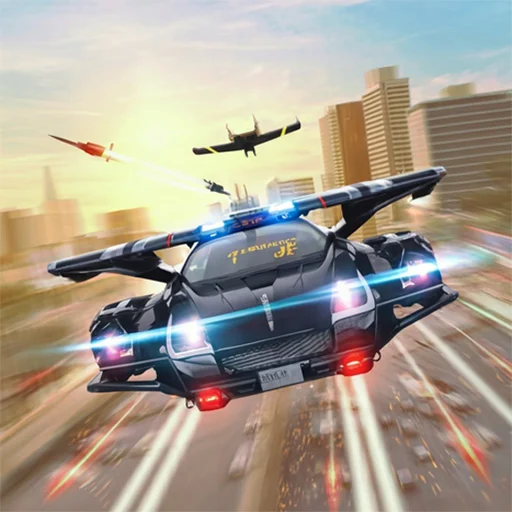






Flying Car Game Police Games

Flying Car Game Police Games is a futuristic driving and flying…

Flying Car Game Police Games

Flying Car Game Police Games

Flying Car Game Police Games is a futuristic driving and flying simulator where players control advanced cars capable of switching between road driving and aerial flight. The gameplay combines high-speed police chases with aerial navigation, where you must escape pursuit while managing both ground traffic and air obstacles. Players can activate flight mode to avoid road blocks, jump between rooftops, and navigate open skies while staying ahead of police units. Each mission becomes more intense as police AI increases pressure, requiring smart switching between driving and flying to survive.

About Flying Car Game Police Games!

Flying Car Game Police Games takes place in a futuristic city where vehicles can transform between driving and flying modes.

Players are often chased by police units that adapt to both ground and aerial movement.

City environments include highways, skyscrapers, tunnels, and open sky zones that require quick transitions.

Each mission introduces new chase patterns, obstacles, and escape routes that test adaptability.

Success depends on knowing when to stay on the road and when to switch into flight mode.

How to Play Flying Car Game Police Games

Step 1: Start driving through the city while avoiding initial police pursuit.

Step 2: Use flight mode to escape road blocks and heavy traffic situations.

Step 3: Navigate carefully in the air to avoid buildings and aerial obstacles.

Step 4: Switch between driving and flying depending on chase pressure.

Step 5: Stay ahead of police units and complete mission objectives.

Controls

Flying Car Game Police Games uses combined driving and flying controls designed for fast transitions and smooth movement.

W / Up Arrow: Accelerate the car or increase flight speed.
S / Down Arrow: Slow down or descend while flying.
A / Left Arrow: Steer left during driving or flying.
D / Right Arrow: Steer right to avoid obstacles or police units.
Space: Activate or toggle flying mode.
Shift: Boost speed for quick escapes.
Ctrl: Stabilize flight or reduce altitude control.
R: Restart the current mission.
Esc: Pause the game or open the menu.

Pro Tip: Switching to flight mode early during heavy police pursuit gives more escape options than waiting until you are fully blocked.

Frequently Asked Questions

What type of game is Flying Car Game Police Games?

It is a hybrid driving and flying simulator where players escape police using a transformable car.

What is the main objective?

The main objective is to evade police pursuit and complete missions using both road and air movement.

How does flying mode work?

Flying mode allows the car to lift off the ground and navigate through the air to avoid obstacles.

Why is police pursuit difficult to escape?

Police units adapt to your movement, making both ground and aerial routes challenging.

When should flying mode be used?

Flying mode is most effective when roads are blocked or traffic becomes too dense.

What causes most mission failures?

Most failures happen due to poor timing when switching modes or crashing into obstacles during escape.

Are aerial sections harder than driving?

Aerial sections require more precision because buildings and obstacles are harder to avoid at high speed.

What is a good beginner strategy?

Focus on stable driving first, then gradually learn when to switch to flying for safer escape routes.

Rate FLYING CAR GAME POLICE GAMES

4.5 3,937,090 votes